

Some pattern pieces are larger than one sheet of paper, so they are printed on two pages. Here is how I join printed pattern pages, A4 or US Letter, into one piece.
Before you start: print at 100%
Use the PDF that matches the paper in your printer, A4 or US Letter, and print at 100% / “Actual size”. With “Fit to page” the pieces come out smaller and the pages will not match. Every pattern has a control ruler on the page: measure it after printing. More details: How to print the pattern correctly.
What you need
- The printed pattern pages
- Scissors
- Masking tape. Clear tape works too, but I prefer masking tape because it does not leave sticky residue.
How to join the pages
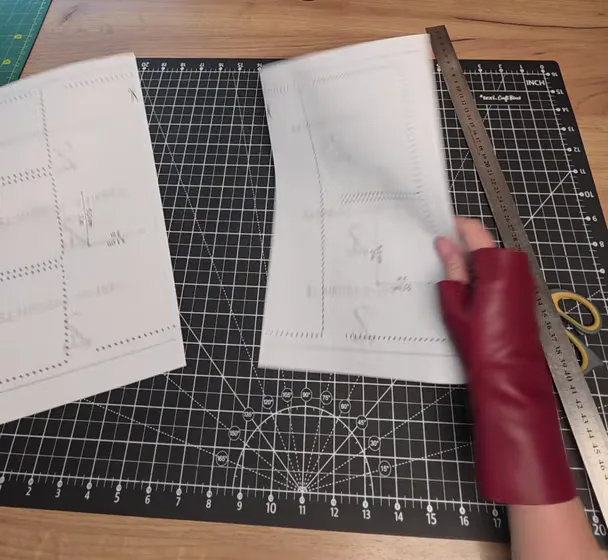
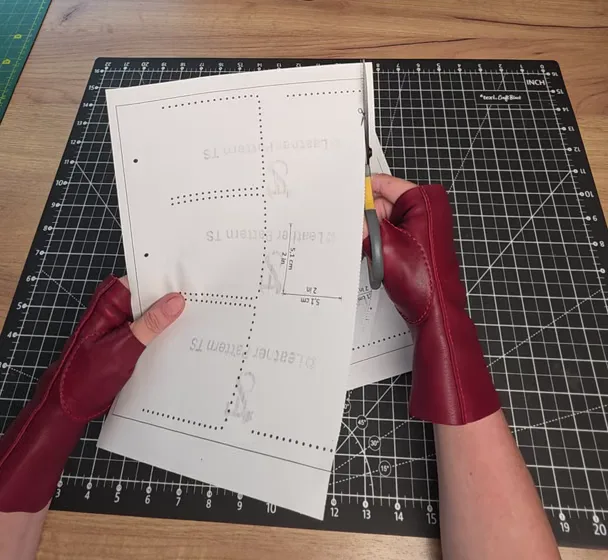
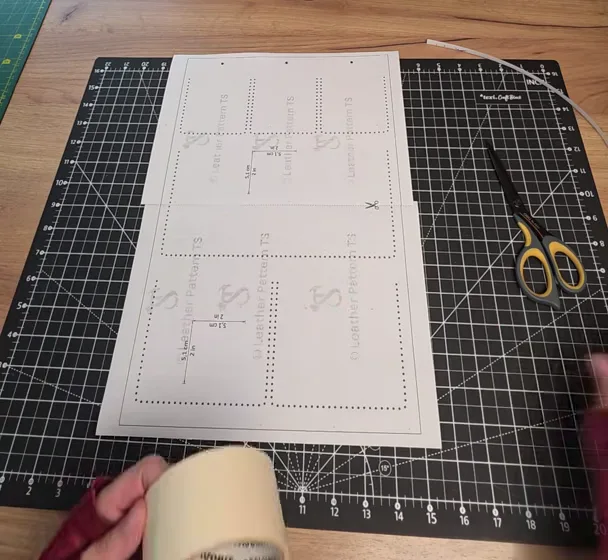
- Put the two pages side by side. Each page has a frame line around the pattern and a small scissors mark that shows the side to cut.
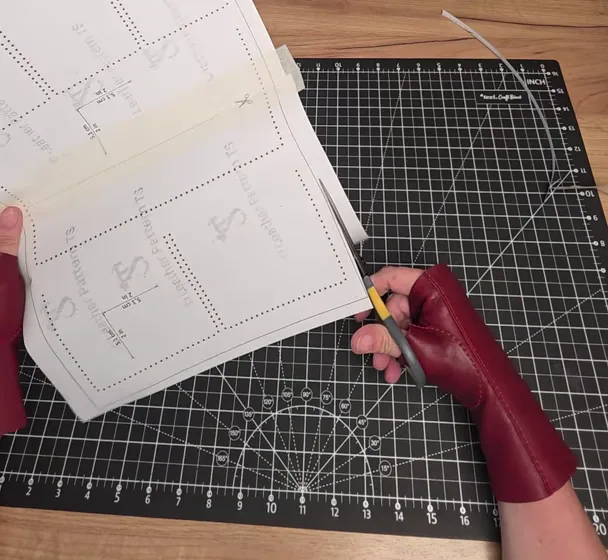
- Trim one page. Cut it with scissors along the frame line on the side with the scissors mark.
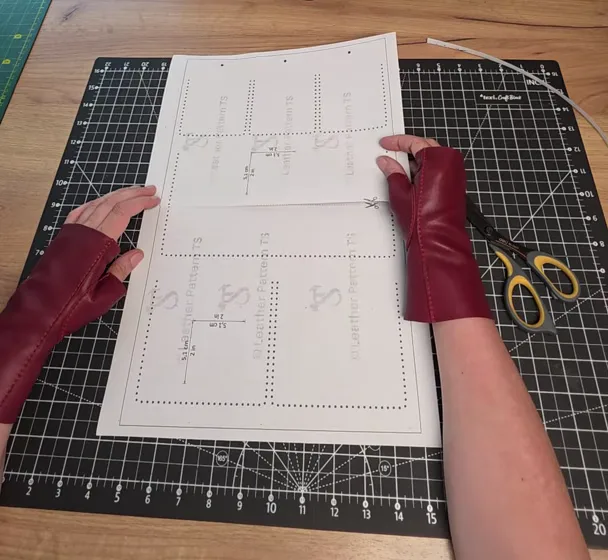
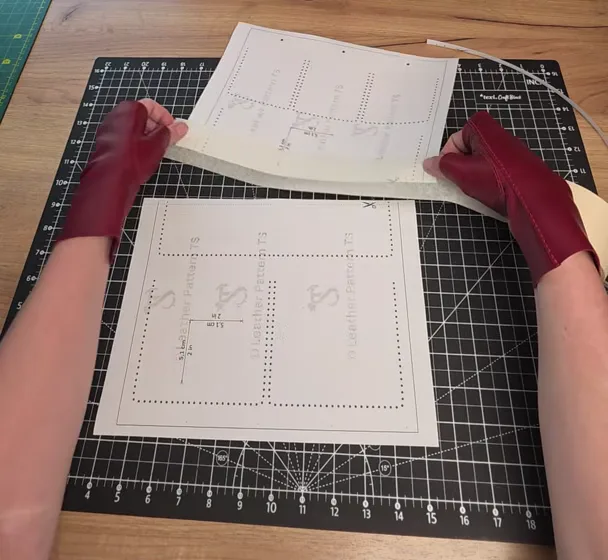
- Lay the trimmed page over the second one. Move it until the frame lines and the pattern lines of both pages meet exactly.
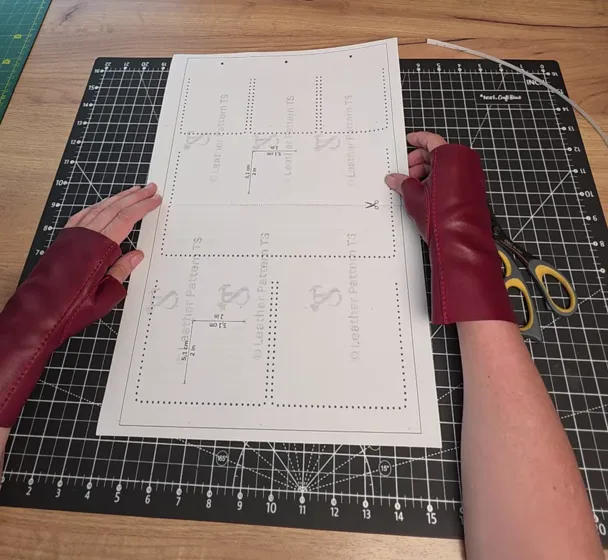
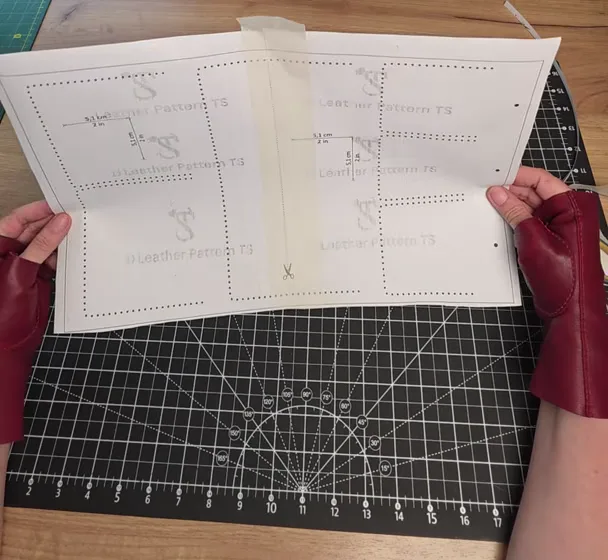
- Tape the joint. Hold the pages flat and stick one strip of masking tape along the whole joint.
- Cut off the ends of the tape. The pattern piece is now one sheet, and you can cut it out.
What next
The same masking tape holds the paper pattern on the leather while you mark and punch. See what else I use in my guide to leather tools for beginners, or choose your next project among all leather patterns.
FAQ
Why do my printed pattern pages not match?
Most often the pattern was printed with “Fit to page” or on the wrong paper size. Print the file that matches your paper, A4 or US Letter, at 100%, and check the control ruler on the page.
What tape should I use to join pattern pages?
Clear tape and masking tape both work. I use masking tape because it does not leave sticky residue.
Do all patterns have pages to join?
No. Small patterns fit on single pages. Only pieces larger than one sheet are split across pages. For example, the leather tote bag pattern and the leather tube bag pattern have such pieces.